Once you own more than one 3D printer, a funny thing happens: you spend half your time walking back and forth just to check whether a print is done. Wouldn't it be nicer to see the status of every machine on one little screen? That is exactly the problem a growing wave of maker projects is solving, and the good news is you don't need to be an engineer to benefit.
Most modern printers, including Prusa's lineup, can connect to your home network. That connection lets a phone app or web dashboard report live details like temperature, progress percentage, and time remaining. The catch is that jumping between apps for each printer gets tedious fast. A dedicated status display fixes this by pulling all of that information into a single, always-on view sitting right on your workbench.
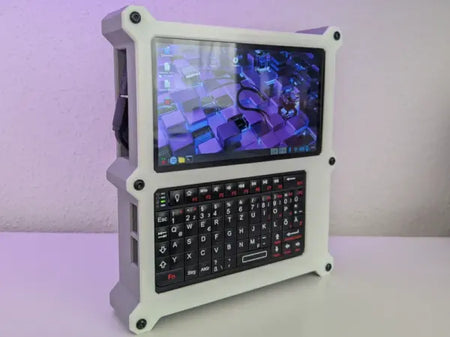
Recently, makers have taken inexpensive touchscreen gadgets originally built for one ecosystem and reflashed them with community firmware so they can talk to other printers instead. In practice, a small touch panel can now connect either directly over your local network or through a manufacturer's cloud service, then mirror the clean look of the official app while controlling several machines at once. It is a clever reminder that the hardware you already own can often be repurposed with a little open-source software.
If you want to try something similar, start simple. Confirm each printer is on your Wi-Fi and note its network address. Enable the remote-monitoring or cloud feature in your printer's settings so it can share data. Then look for a compatible touchscreen device and its community firmware, follow the flashing instructions carefully, and enter your printer details when prompted. Take it one printer at a time and test each connection before adding the next.
Try it on your printer: Even a single machine benefits from an at-a-glance dashboard, so you are not tied to the sink or the shop just to know when a print finishes. If you are still building out your setup, Flarelab stocks the filament, nozzles, and accessories that keep a busy print farm humming. Browse the shelves at flarelab.com and set up your own command center one spool at a time.
Frequently asked questions
Do I need special skills to set up a printer status display?
Not really. If you can enable Wi-Fi on your printer and follow step-by-step firmware instructions, you can set up a basic display. Take it slowly and test one printer connection at a time.
Will a status display work with any 3D printer?
It depends on the printer and the firmware. Machines that support network monitoring or a cloud API are the easiest to connect. Always check that your printer model is supported before buying a screen.
Can I monitor my prints without a dedicated screen?
Yes. Most networked printers offer a phone app or web dashboard for free. A dedicated display simply makes it faster to watch several machines at once without opening apps.
Is it safe to leave a print farm connected to the cloud?
Cloud monitoring is generally safe when you use the manufacturer's official service and a strong password. If you prefer, many setups also allow purely local network connections that never leave your home.
Inspired by reporting from Hackaday. Rewritten and expanded by Flarelab. Original source.