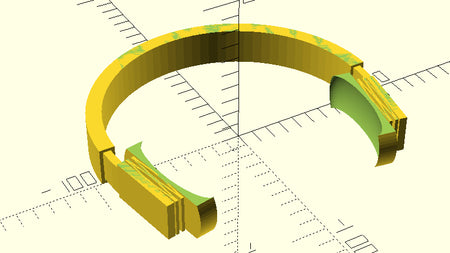
If you have ever watched your printer try to extrude plastic into thin air and end up with a tangled mess, you already know the 45-degree rule. Push past that angle and gravity usually wins. But a new slicer fork is rewriting that limit — and it can pull off near-horizontal overhangs with no support material at all.
What is WaveOverhangs?
WaveOverhangs is a modified version of OrcaSlicer that uses a clever toolpath trick to push overhangs all the way to 90 degrees. Instead of laying down lines that stretch into empty space, it prints concentric rings on each new layer. Each ring grabs on to the one printed just before it, like ripples spreading outward across a pond. By the time the layer finishes, the printer has built a self-supporting shelf out of nothing but plastic and patience.
The technique borrows ideas from earlier arc-overhang experiments, but the wave-style toolpath gives the freshly extruded line something solid to anchor to within the same layer. The result: prints that look like they should sag and fall apart but somehow don't.
How it works in your slicer
To try it, you will need to install the WaveOverhangs fork of OrcaSlicer. Once it is set up, the slicer adds new options to its overhang-handling section. There are two algorithms to pick from and a handful of tuning knobs — speed, line width, cooling, and how aggressive you want the wave pattern to be.
- Print slow on overhang sections — typically 10 to 20 mm/s
- Crank up part cooling so each ring solidifies before the next one lands
- Use a small line width (around 0.4 mm with a 0.4 mm nozzle) for cleaner ring contact
- Stick to PLA at first — it cools fast and is forgiving on overhangs
Because the technique is brand new, there are not ready-made profiles for every printer yet. Expect to dial in your settings with a couple of test prints before you nail a perfect 90-degree shelf. The developers also run a community gallery where you can share what worked and what flopped.
Try it on your printer
Most hobbyist machines can handle this with the right tweaks. An Ender 3 with a silicone sock on the hot end and a decent part-cooling fan duct is a solid starting point. Bambu A1 and Prusa MK4 owners have an even easier ride thanks to strong stock cooling. Stick with a 0.4 mm nozzle and a roll of quality PLA from Flarelab while you find your settings — once you have the wave method working, branch out to PETG and see how far you can push it.
Frequently asked questions
What is WaveOverhangs and how is it different from regular OrcaSlicer?
WaveOverhangs is a community fork of OrcaSlicer that adds a new toolpath option for printing horizontal overhangs without supports. Instead of standard line-by-line extrusion, it lays down concentric rings on each layer that anchor to the previous ring within the same layer, letting you print up to 90-degree shelves on regular hobby printers.
Do I need a special printer to use WaveOverhangs?
No. Any printer with reliable part cooling and a 0.4 mm nozzle can attempt it. Better cooling helps a lot — printers with strong fan ducts like the Bambu A1 or Prusa MK4 get cleaner results, but a tuned Ender 3 with a silicone hot-end sock also works once you slow the print down.
What slicer settings should I start with?
Start with overhang speed at 10–20 mm/s, max part cooling, a 0.4 mm line width on a 0.4 mm nozzle, and 0.2 mm layer height. Print in PLA first because it solidifies fast. Expect a couple of test prints to dial in the exact values for your machine.
Does it work with PETG and TPU?
It can, but PLA is the easiest place to start. PETG cools more slowly and tends to droop on extreme overhangs, so you will need stronger cooling and slower speeds. TPU is generally a poor match because its flexibility fights the ring-on-ring anchoring.
Will I still need supports for everything?
Not for steep overhangs. WaveOverhangs is designed to print horizontal shelves and overhangs that would normally require support material. You may still want supports for very long bridges or fully unsupported holes, but for typical overhangs the wave method handles them.
What do I need to give it a try?
Install the WaveOverhangs fork of OrcaSlicer, grab a fresh roll of PLA from Flarelab, and start with a small overhang test print. A 0.4 mm nozzle in good condition and a clean part cooling fan are all the hardware you need.
Inspired by reporting from Hackaday 3D Printing.